


Quick answer: A sorter commissioning handover should give operations and maintenance the current equipment and controls revisions, route plan, alarm response, role boundaries, service documents and a dated open-item list. Review the material in the actual operating area, assign an owner to each unresolved item and confirm where the accepted records are stored. This turns commissioning evidence into information the site can use after the integrator leaves.
1. Identify the installed system and revision
List the sorter zones, devices, controls version, software release, drawings and major equipment identifiers delivered at the site. Record any change made during commissioning that differs from the original design. Link each document to the corresponding installed area so a technician can find the correct reference. If an item remains under temporary configuration, label it and identify who owns final release. A handover that describes only a product family can leave maintenance uncertain about which version is actually installed.
2. Transfer the route plan and operating assumptions
Provide the accepted destination map, sort plan, chute or lane identifiers, routing rules and the owner of each data source. Explain which assumptions were used for the commissioning test and which routes were not exercised. Show how an operations lead confirms the active plan before a shift or service change. Keep the route record consistent with labels and HMI names used in the facility. This helps a supervisor connect a reported exception to a real zone instead of relying on informal names that differ between teams.
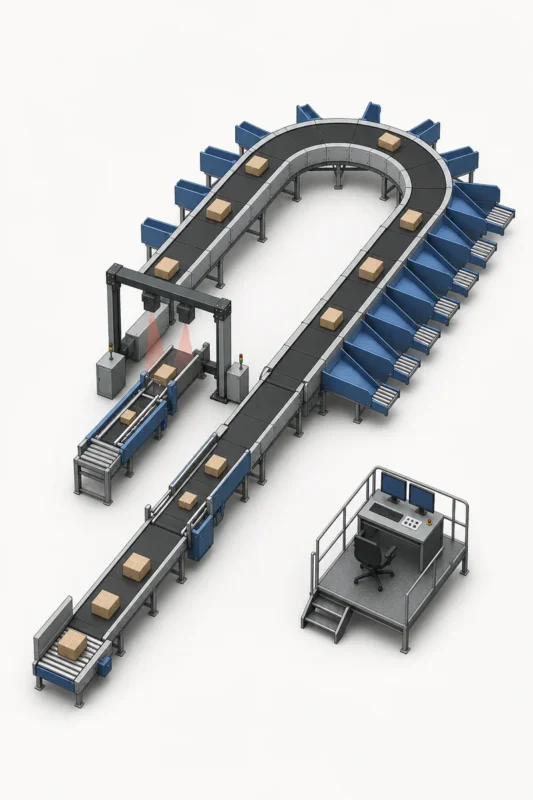
3. Document alarms and response ownership
List the alarms or fault categories operators are expected to recognize and identify the approved first response. Separate routine operator actions from maintenance or engineering work. State where detailed recovery instructions are stored and who updates them after a software revision. Avoid giving a generic reset instruction for every alarm. During handover, ask operators to locate the relevant instruction and explain when they must stop and escalate. A clear alarm map helps the site respond consistently and prevents an unapproved action from becoming routine.
4. Review normal operation with the actual team
Walk through startup, plan selection, routine observation, exception handling and end-of-shift procedures with representatives from operations. Use the final HMI and work instructions rather than a presentation that shows an earlier configuration. Record questions and clarify terms that are unfamiliar to the shift team. Confirm who owns the daily checks and where completed records go. A practical walkthrough can reveal a gap in language, signage or task ownership that is easy to miss when acceptance is reviewed only by project managers.
5. Transfer maintenance and service information
Provide the service schedule and component records supplied by the equipment owner, plus the approved isolation and access procedures relevant to the site. Identify consumables, recommended spares and supplier contacts without inventing unapproved intervals or methods. Show how maintenance records the device, fault and replacement part. Confirm that the team can locate service information while standing at the equipment. A digital folder that exists but cannot be found by the on-call technician is not a useful handover.
6. Close training and authorization gaps
List the operator, maintenance and supervisor training completed, the revision used and any follow-up session needed. Confirm which roles may perform each task and how a new employee receives training. If training relied on a temporary mode or unfinished work instruction, keep that gap visible. The site owner should decide whether the remaining training is a release condition or a scheduled action. A handover should make clear who is ready to operate independently and where a trainer must return.

7. Maintain a visible open-item and warranty register
Record unresolved defects, exclusions, pending documents, vendor actions, target dates and the person responsible. Link each item to its evidence and acceptance condition. Distinguish a minor follow-up from an issue that affects safe or reliable operation. Keep the status current and make sure operations knows which items change daily work. A register prevents an open commissioning question from disappearing into an email chain and gives both supplier and buyer a shared view of what remains.
8. Archive acceptance evidence and future changes
Save the signed acceptance record, test results, system and software revisions, route plan, manuals, training records and open-item closure in the site’s controlled location. Identify who owns future updates and how a change is approved. When a route, controls program or equipment component changes, add a new revision and retain the prior one. A traceable handover gives future engineering and service teams a dependable baseline for diagnosing faults or planning expansion.
For buyers comparing available product and supplier options, see TrueLiSort sorter and put wall systems.
Questions buyers often ask
What documents should be handed over after sorter commissioning?
Keep installed revisions, drawings, route plans, test evidence, alarm response, manuals, training records and open-item status together.
Who should attend a sorter handover?
Include operations, maintenance, engineering, safety or site owners relevant to the equipment and the integrator.
How should unresolved commissioning items be handled?
Record the evidence, acceptance condition, owner and due date, and identify whether the item affects release.
Why record controls and route revisions?
They help staff locate the correct instructions and explain differences between the commissioned test and current operation.